Product · Inbox Intelligence

Inbox under control,
every morning.

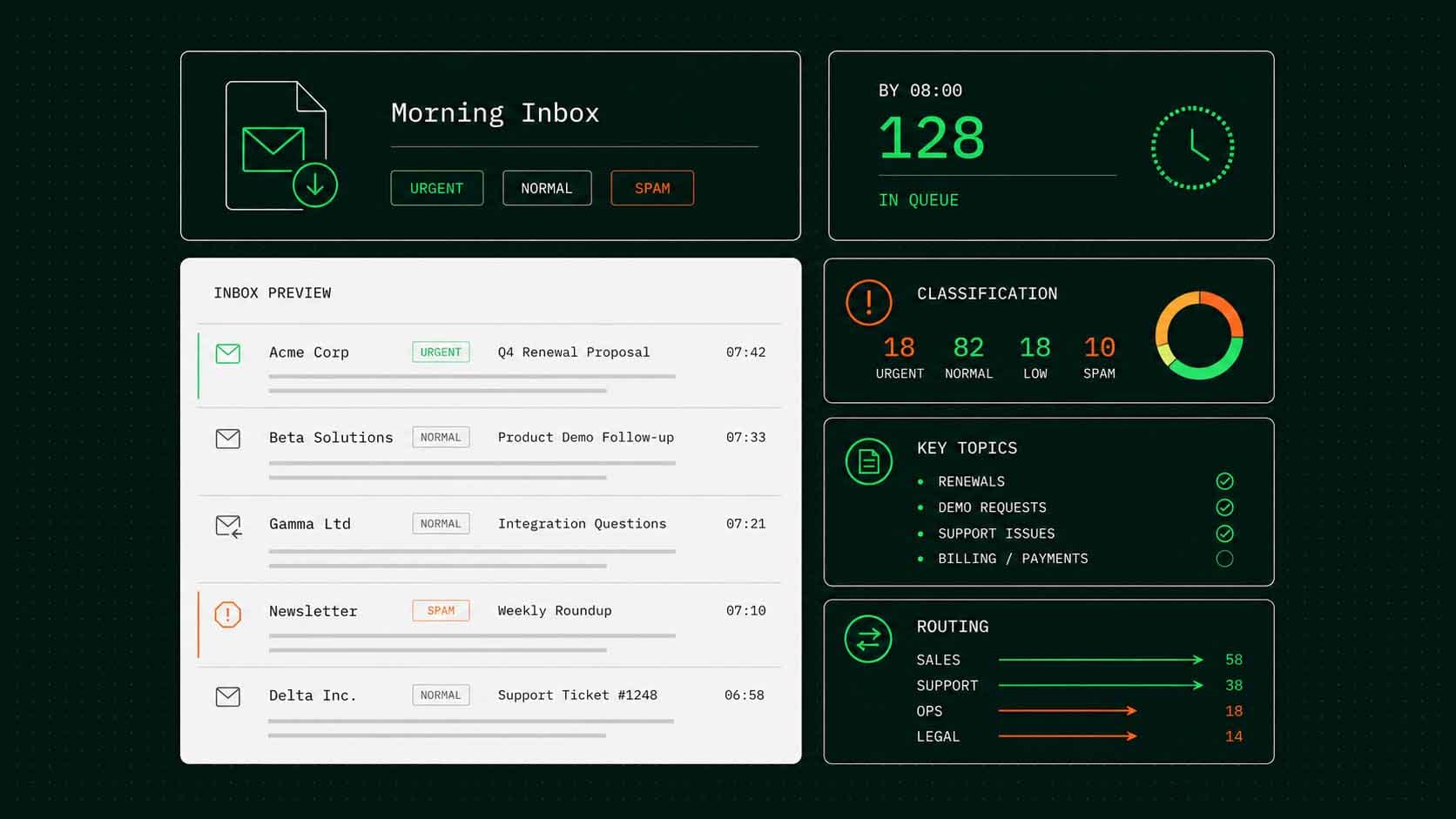
Classify, summarise, and route every inbound email before your team opens their inbox. Urgent items surface first. Noise stays out of the queue.

Email Triage product screenshot
Processing time
<2s
Per email, classify to route.
Categories
20+
Customisable for your workflow.
Time saved
~85%
Less manual triage per inbox.
Integrations
5+
Outlook, Gmail, and more.
02Features

What it does day to day.

Four capabilities cover the full cycle. No template configuration, no onboarding weeks — works on the first file you upload.

01, Classify

Instant categorisation.

Every incoming message is labelled — request type, urgency, sender tier, and topic — in under two seconds. No rules engine to maintain.

02, Summarise

One-line summaries.

Long threads and forwarded chains are condensed to a single sentence so your team reads context, not the whole email, before deciding.

03, Route

Smart routing.

Emails are assigned to the right queue, team, or individual based on category, sender, and urgency — before anyone opens their inbox.

04, Escalate

Escalation rules.

High-priority items are flagged immediately. VIP senders, SLA-sensitive requests, and complaint keywords trigger instant escalation paths.

03ROI Calculator

See how many hours your team saves each month.

Move the sliders to match your volume. We assume a 85% automation rate.

Your inbox volume
80emails
10500
5min
1 min15 min
22days
1525

Assumes 85% reduction in manual triage time — classification, summarisation, and routing. Edge cases and sensitive replies stay with your team.

Your monthly time savings
hours saved every month
125
16 working days freed for your team.
37working weeks saved per year
Before
147h
After
22h
1,760 emails / month triaged- AI handles 85%
Ready when you are

Stop triaging manually. Start every day with a clean queue.

We connect to your inbox and show you the first sorted batch in a 30-minute demo. No integration work before the call.

04FAQ

Questions,
straight.

Common questions about Email Triage. If yours isn’t here, ask us directly.

Which email providers does it connect to?
Microsoft 365 (Outlook) and Google Workspace (Gmail) out of the box. Additional providers via IMAP or API on request.
Can we define our own categories?
Yes. Categories, routing rules, and escalation keywords are all configurable per inbox. We set them up in an onboarding call and they can be adjusted any time.
Does it reply to emails automatically?
Not by default — routing and prioritisation are the core function. Automated drafts or replies can be enabled as an optional extension for high-volume, templated response types.
What happens to emails it is not confident about?
Low-confidence classifications are flagged for human review with the model's top two guesses shown side by side. No email gets silently misrouted.
Is our email content used to train the model?
No. Your emails are processed in your tenant and never leave your environment for training. EU infrastructure by default, GDPR compliant.